SnackUp

Interactive self-order Kiosk

Project Type

Course Project

Design Challenge

Deliverables

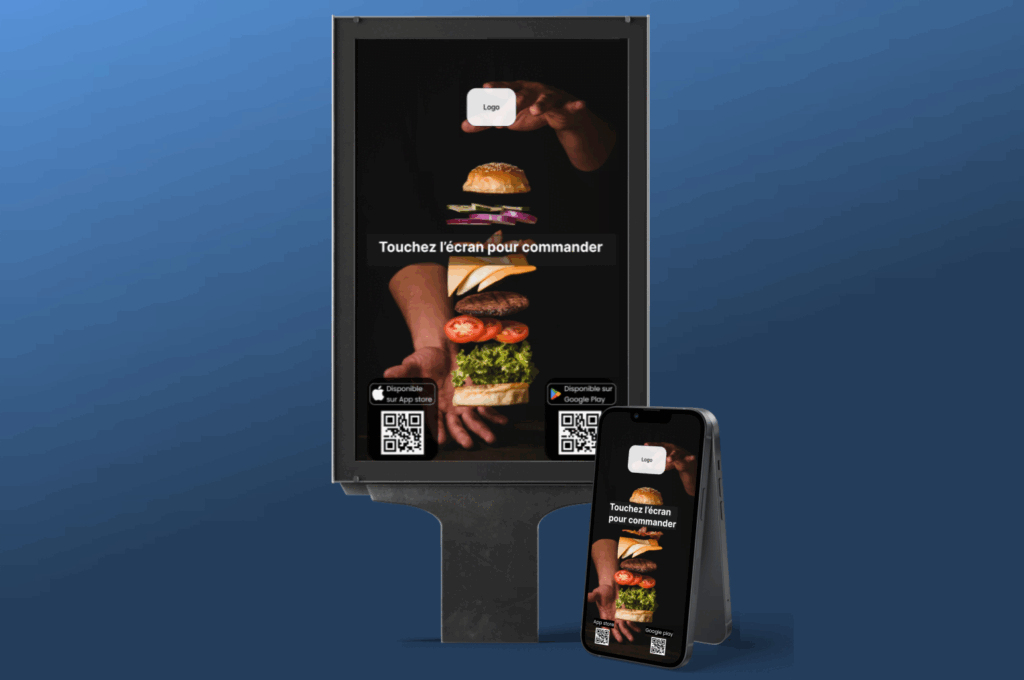
Mobile Mid-Fid Prototype

Kiosk Mid-Fid Prototype

Tools

Figma

Duration

3 Weeks

Project Overview

The app allows users (students, office workers, etc.) to order snacks (sandwiches, drinks, desserts, etc.) quickly and conveniently. It aims to simplify the ordering process for the customer, while making it easier for the snack bar manager to manage orders.

UX Process

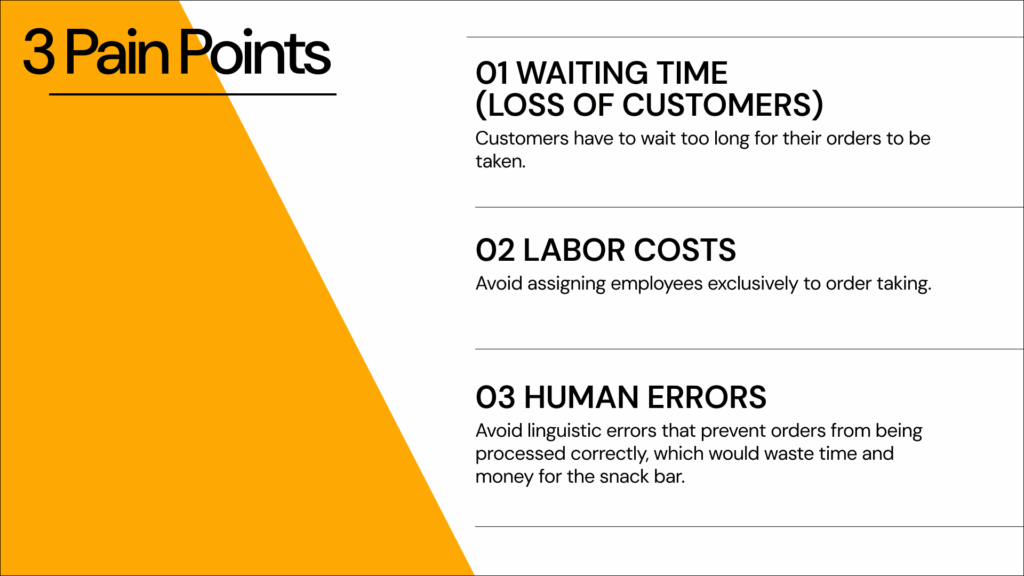
Pain Points

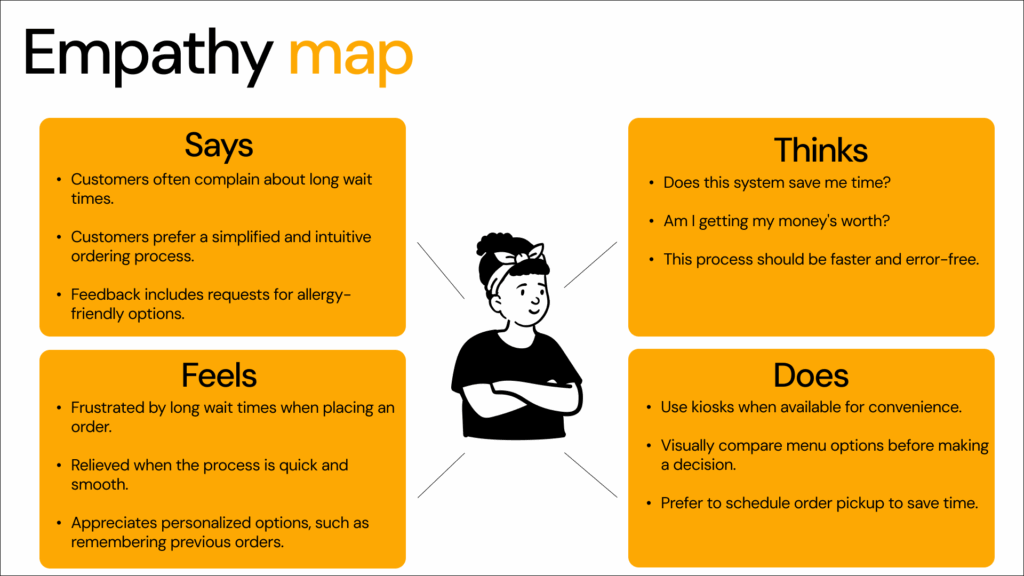
Empathy Maps

Interviews

The objective of this study was to understand potential users’ perceptions regarding the use of an interactive kiosk.

By interviewing 10 people, we sought to assess their opinions on the interface, ease of use, interest in this type of technology, and consumer expectations.

Research revealed that all participants had used a snack kiosk, appreciating its fast ordering. Key findings highlight the need for an intuitive interface, frequent use of the touchscreen over human service, and persistent order errors. Recommendations include simplifying the interface, adding product videos alongside photos, and fixing technical bugs to improve the user experience.
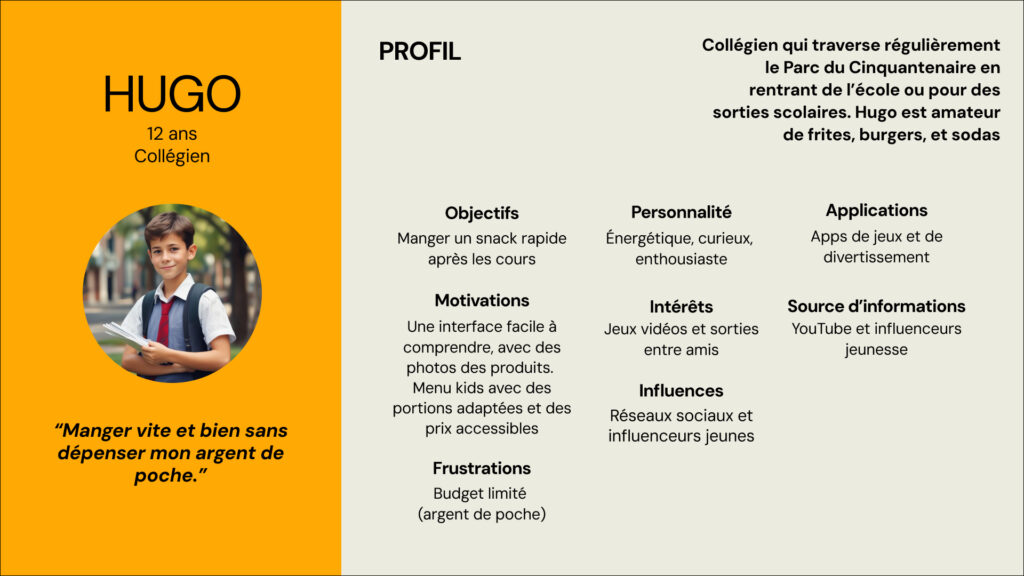
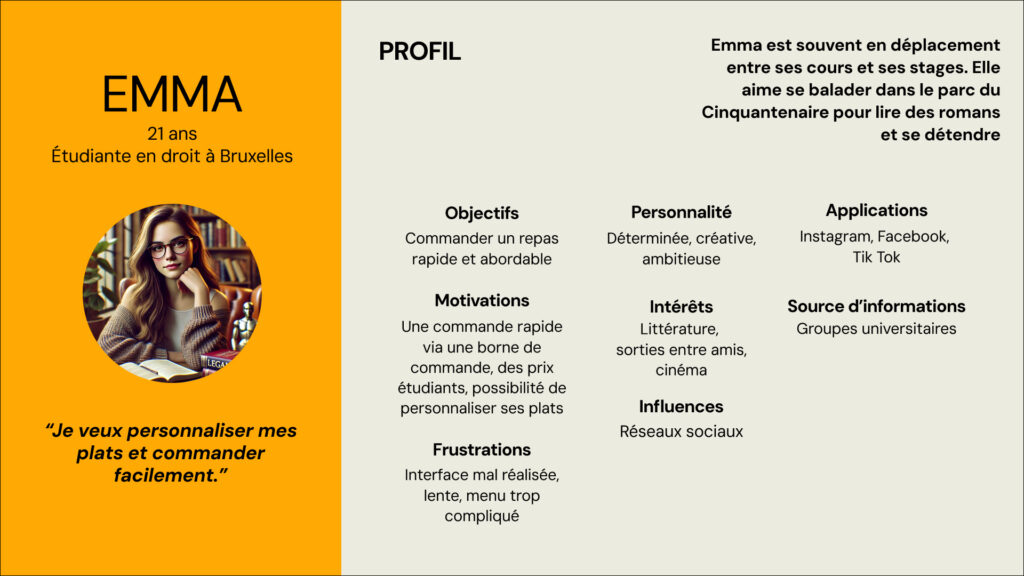
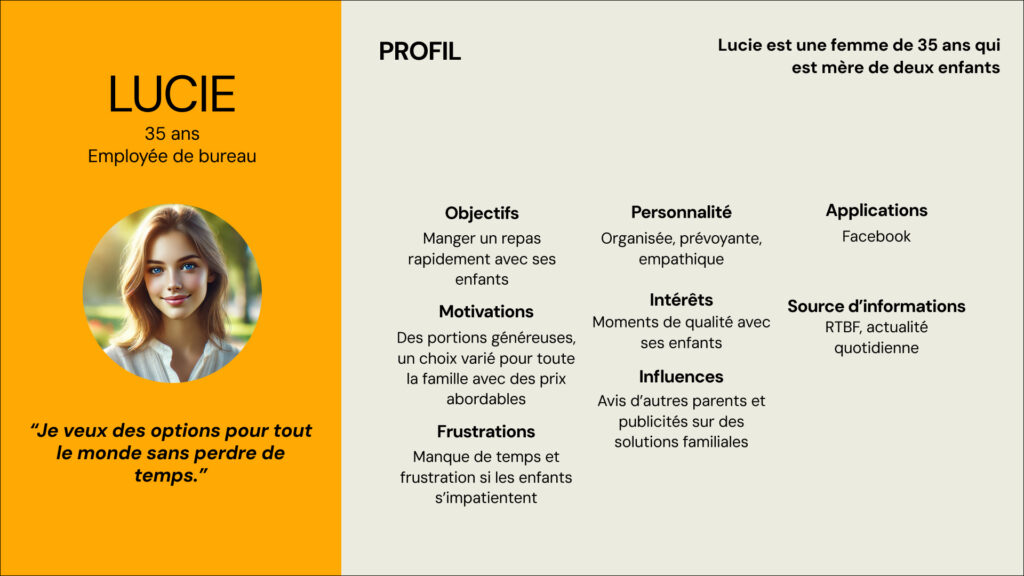
Personas

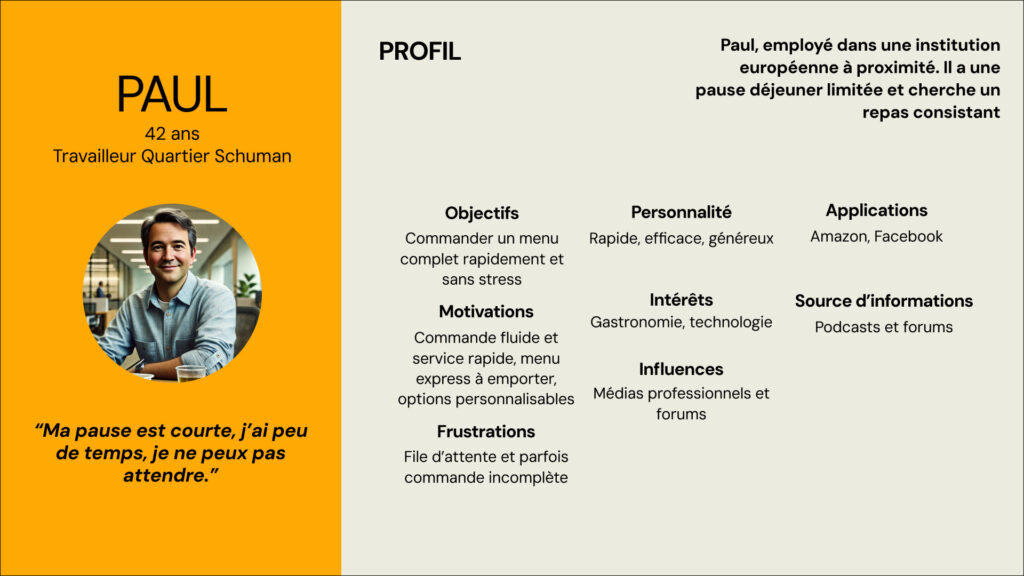
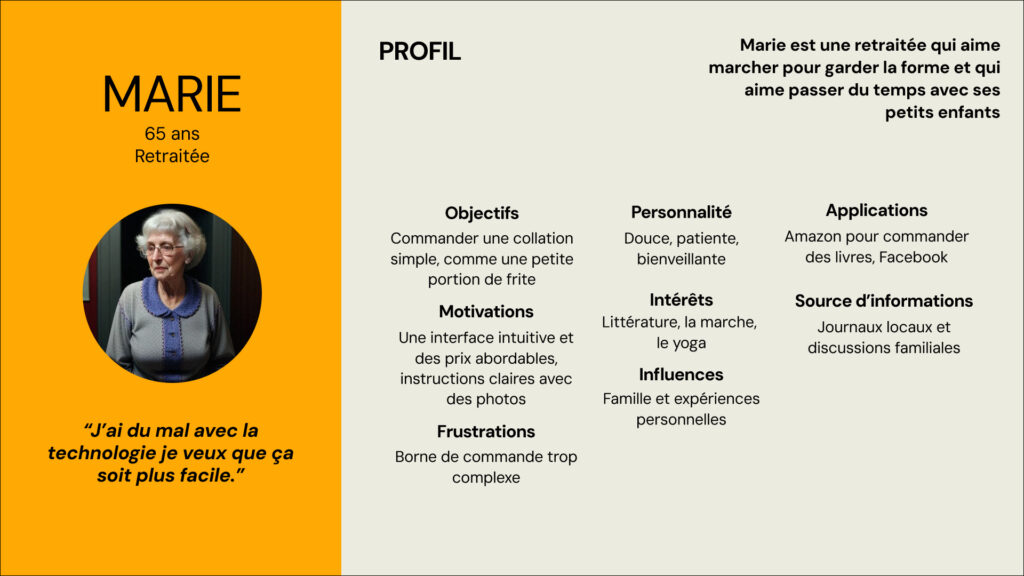
Based on interviews with 10 users, we crafted 5 detailed personas that capture the core behaviors, needs, and goals of our target audience.

Competitive Analysis

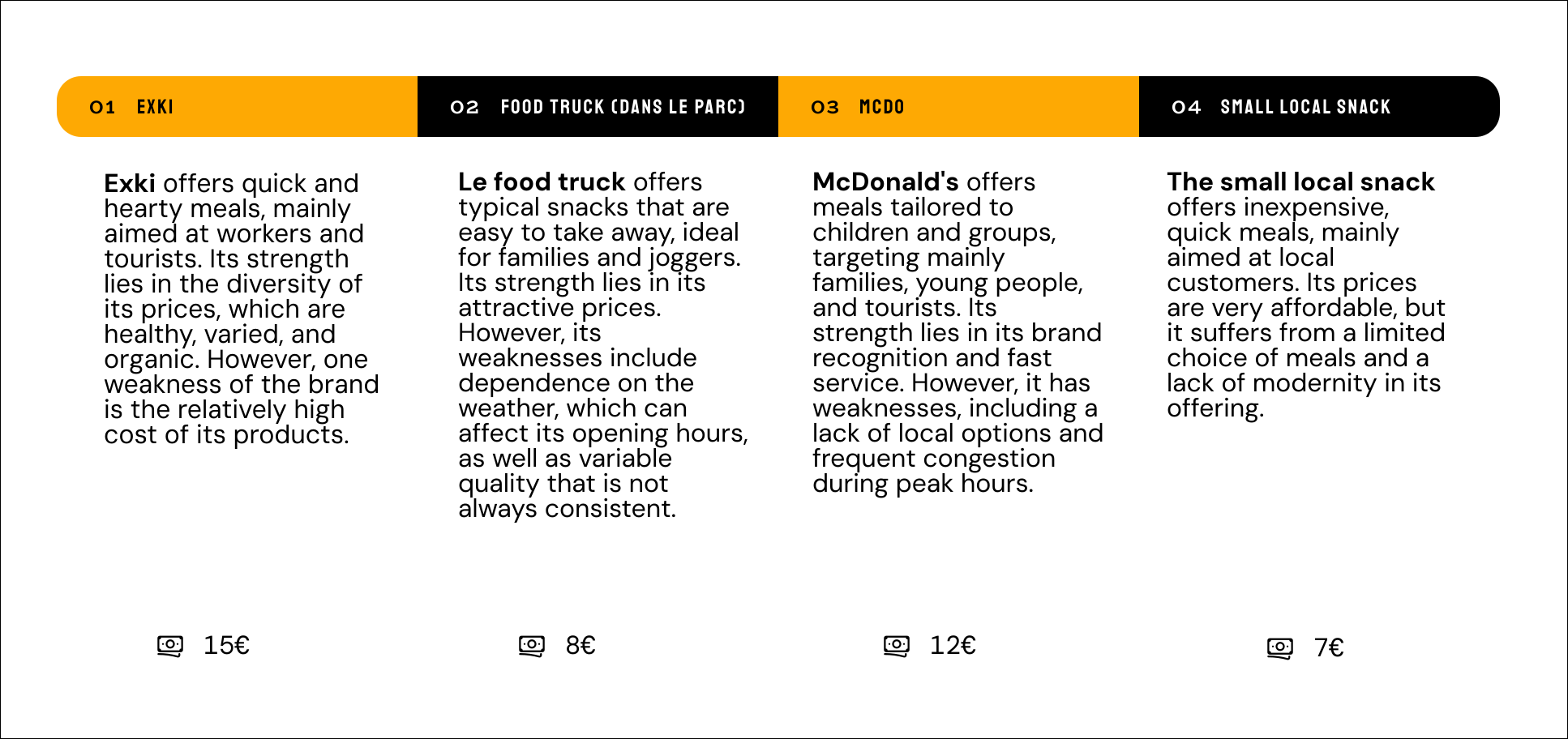
We chose these competitors to understand the Brussels snack market and user expectations. Exki offers premium options, the food truck is quick and affordable, McDonald’s is fast and popular, and the local snack is budget-friendly. This analysis informs the design of a kiosk that addresses user needs while standing out in the local market.

UI Design Solution

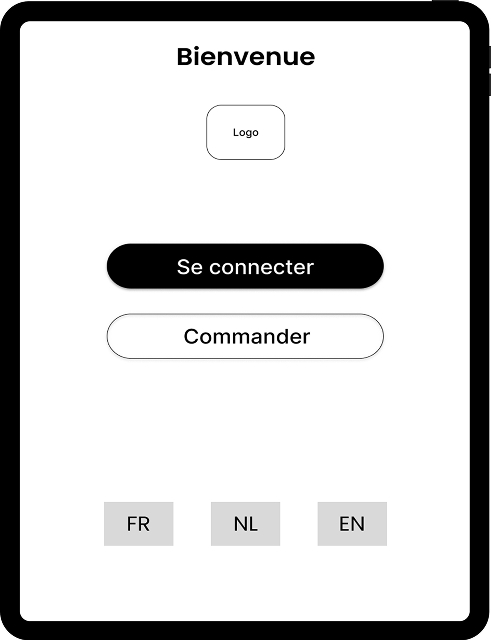
Feature 1: Welcome Screen and Homepage

The customer can choose from the three most widely spoken languages in Brussels.

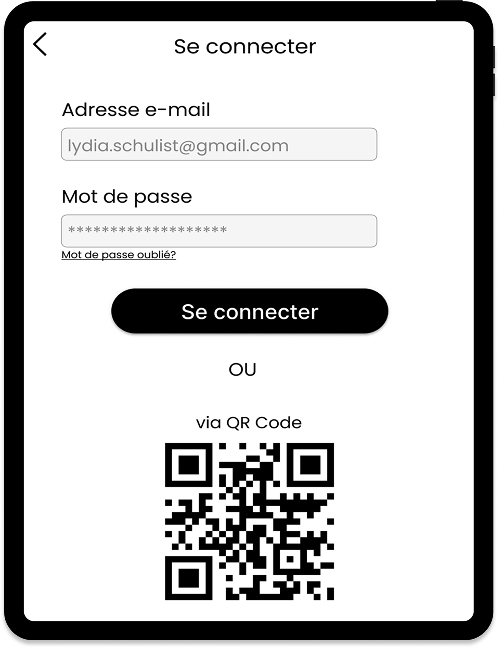
The customer chooses to log in or order directly.

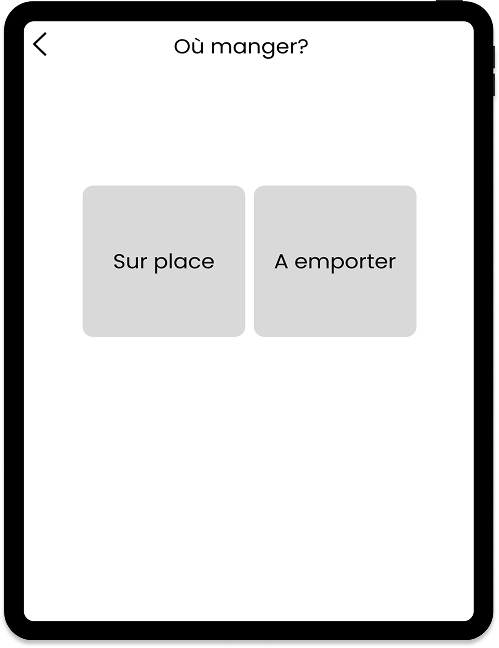
The customer decides whether to eat in or take away.

Feature 2: Search and Product Selection

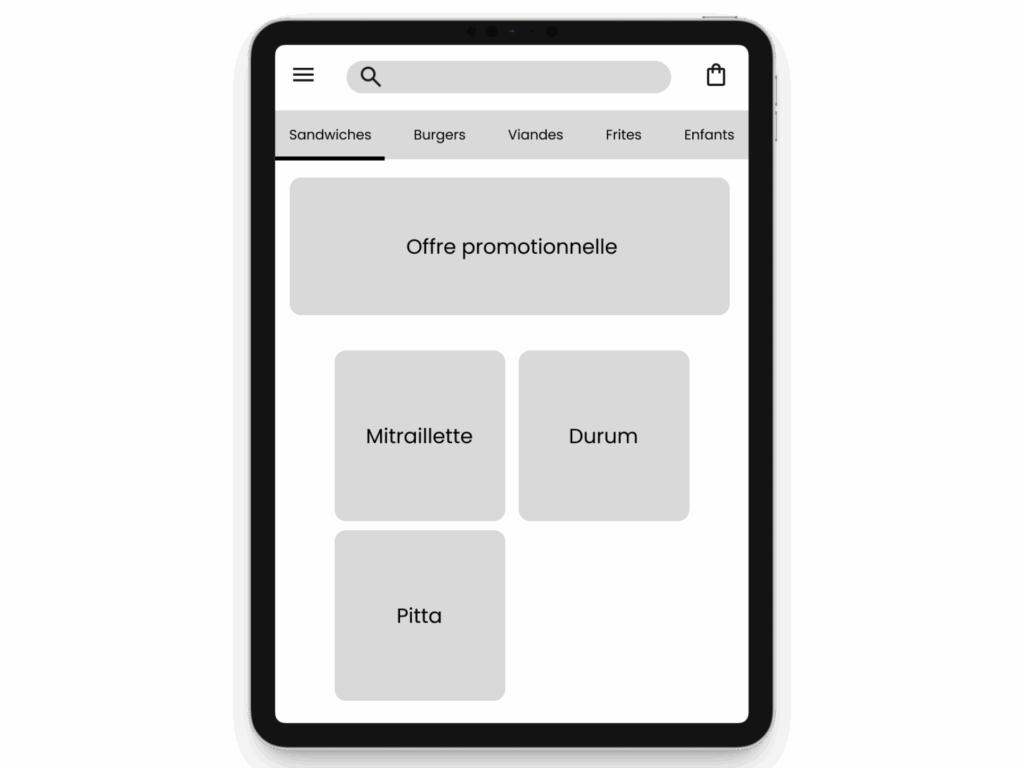
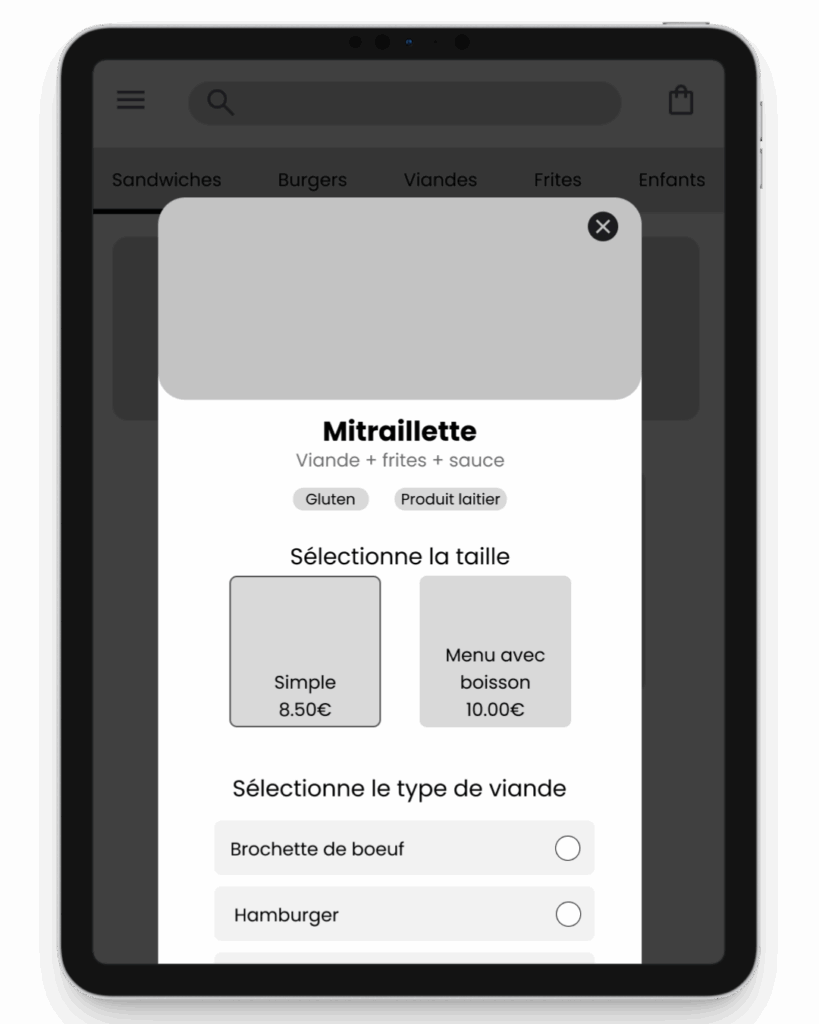
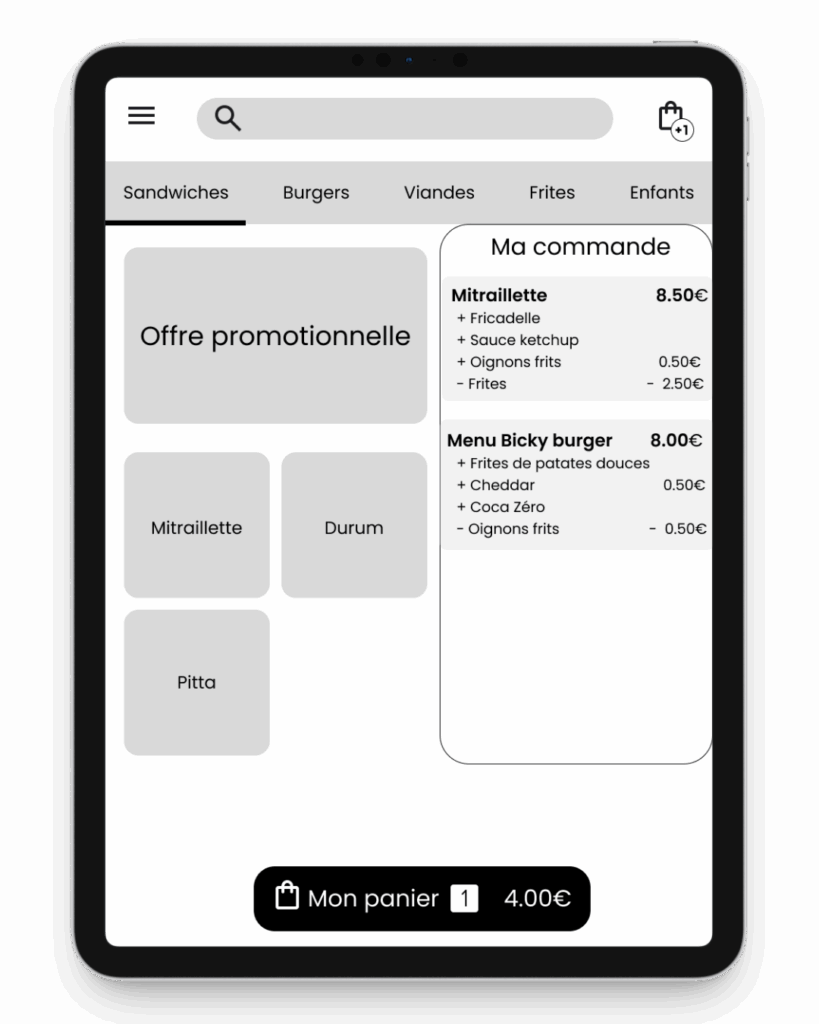
The customer can choose between different product categories and can assemble their own mitraillette, durum, or pita sandwich. 

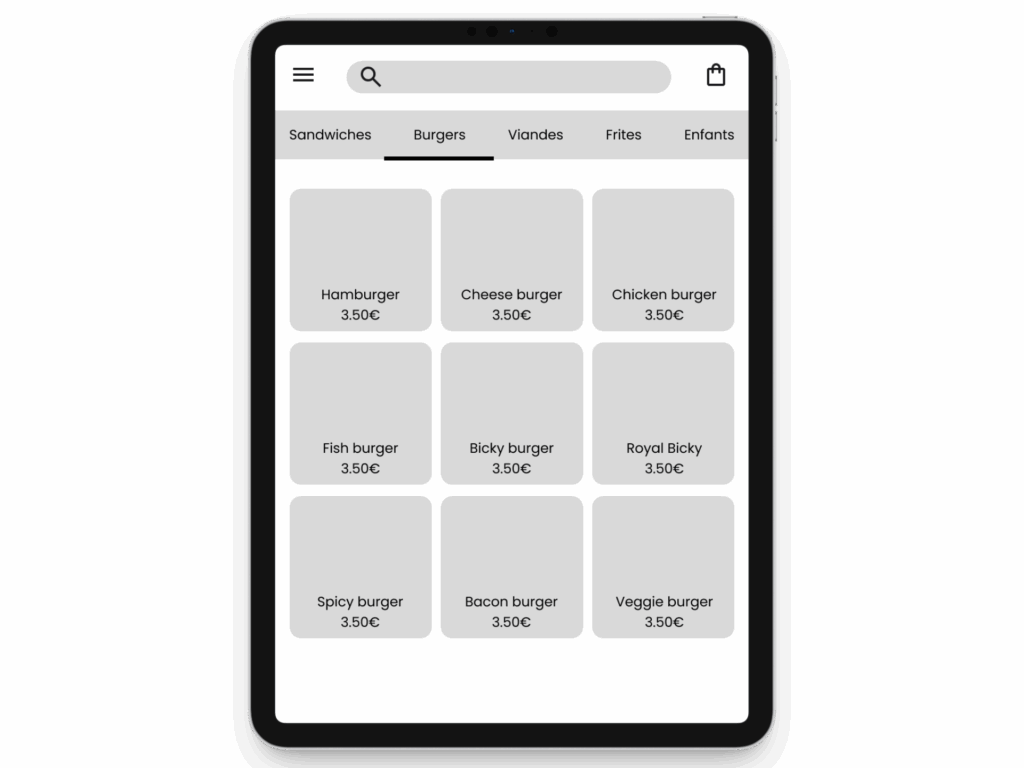
Prices are listed because the burgers are already assembled but can be modified.

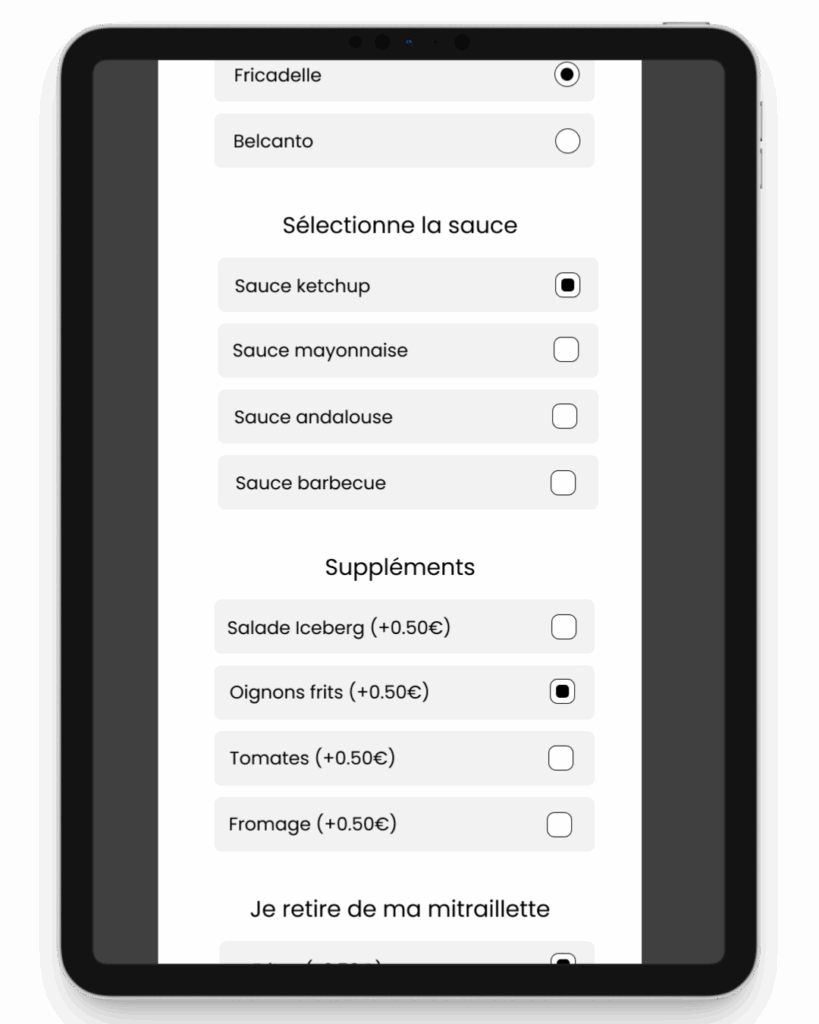
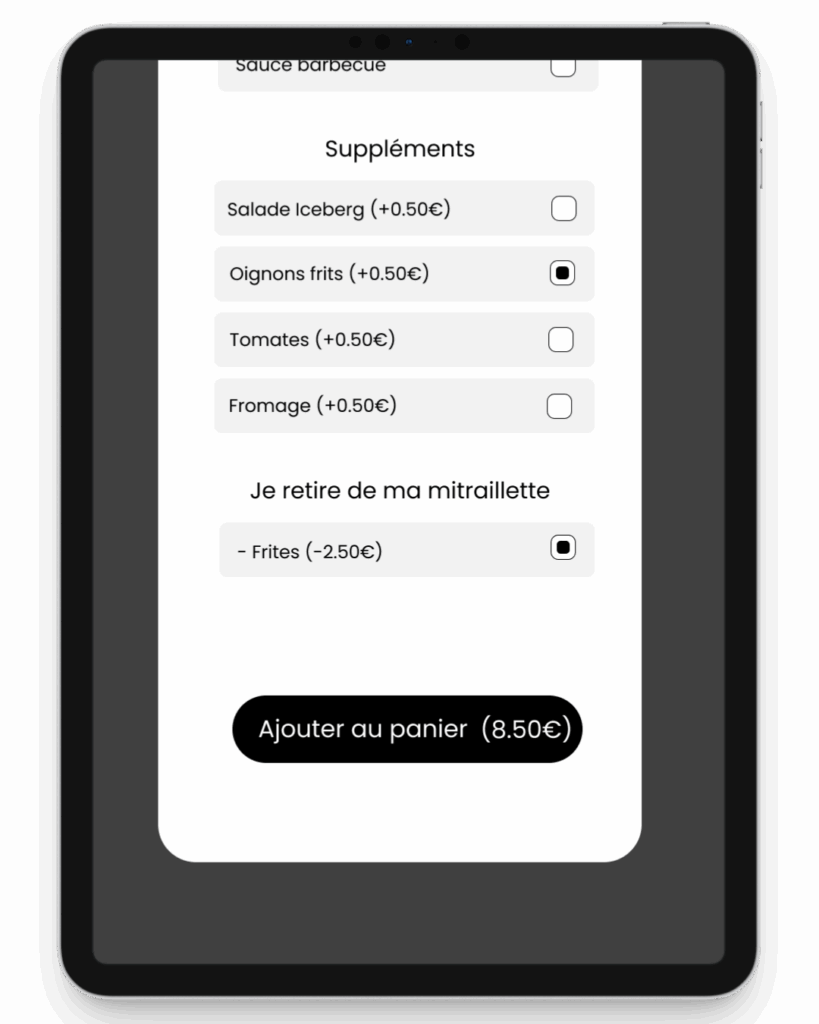
Feature 3: Customization of orders

Step 1: The customer can choose the size of their sandwich (regular or small with a drink).

Step 2: The customer can choose their sauce.

Step 3: The customer can add extras or remove food from their mitraillette sandwich. 

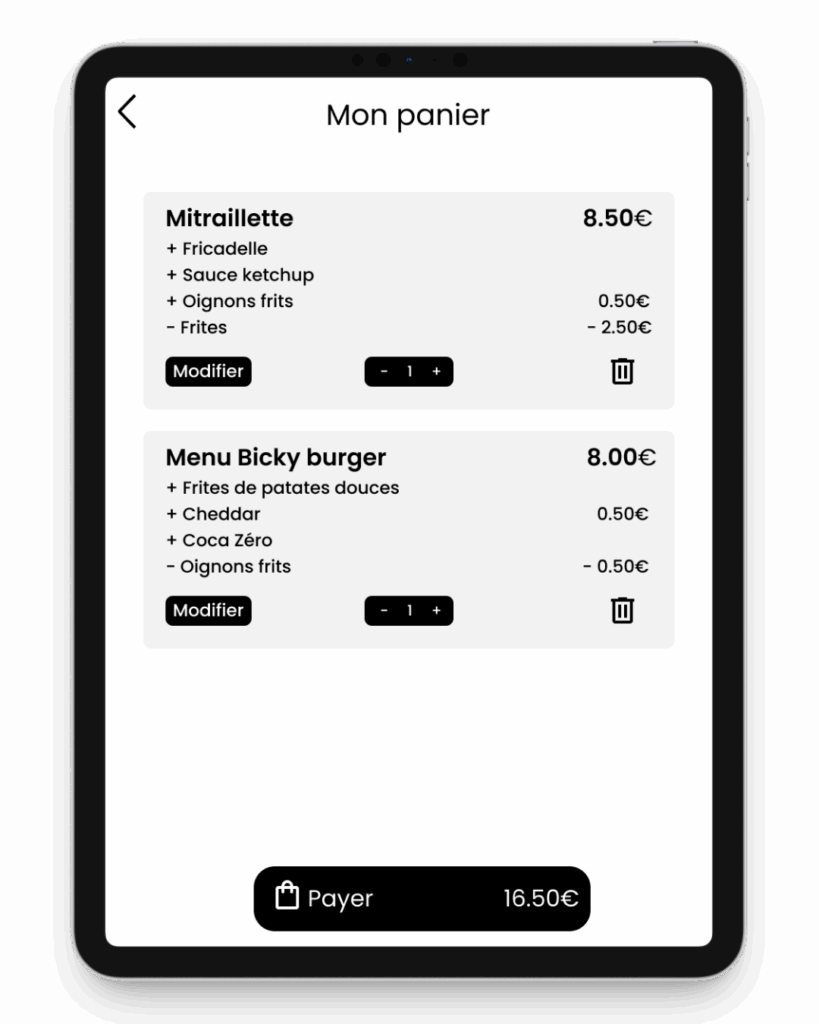
Feature 4: Shopping cart Management

As customers add products, they can view them from any page of the kiosk.

Customers can modify and delete orders in their shopping cart. They can add additional quantity to the cart. 

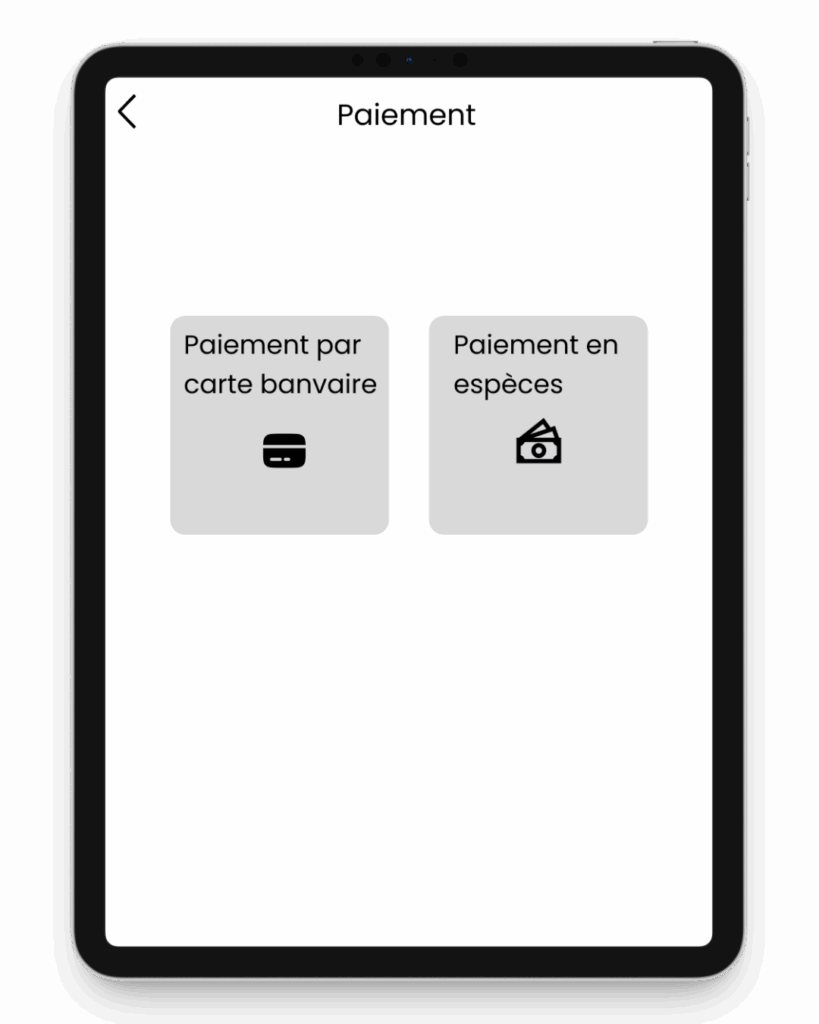
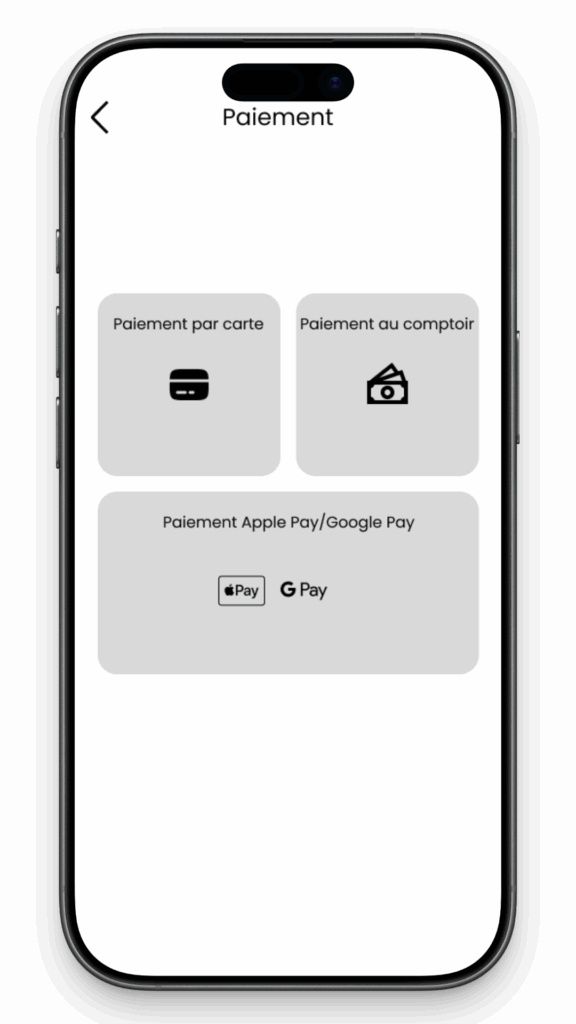
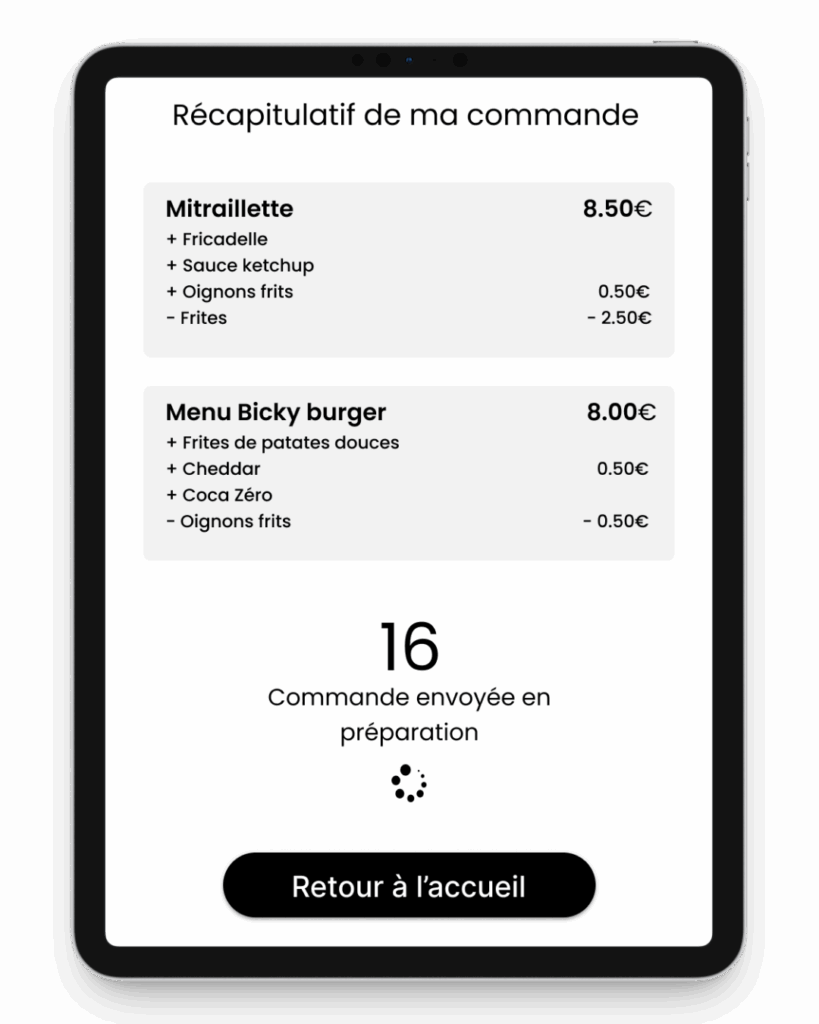
Feature 5: Payment and Summary

Several payment options are available. Payments via Apple Pay and Google Pay available on mobile version.

Feature 6 : Order Tracking

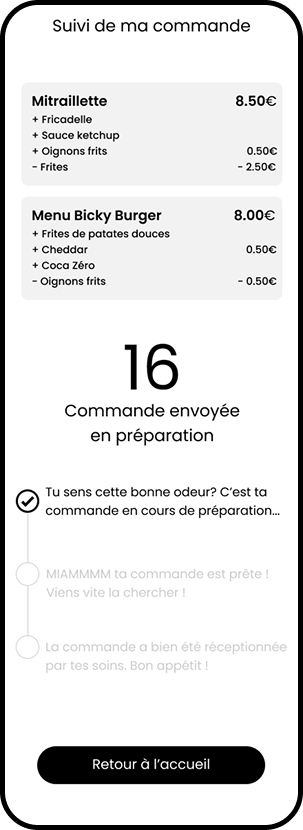
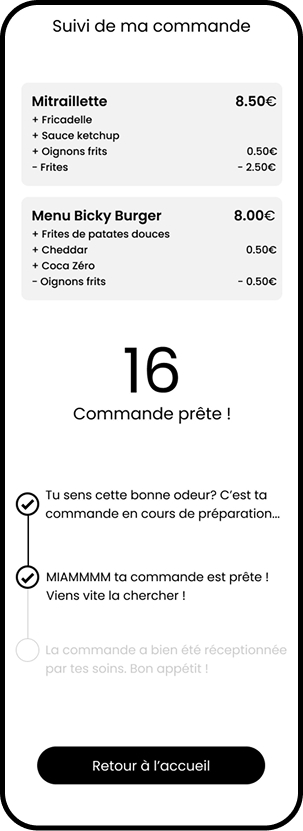
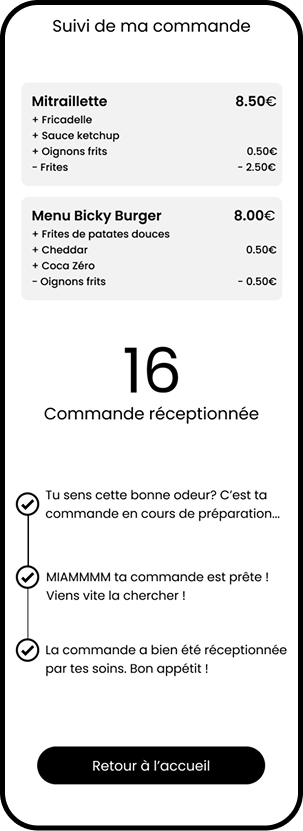
Real-time order tracking, only available on mobile version

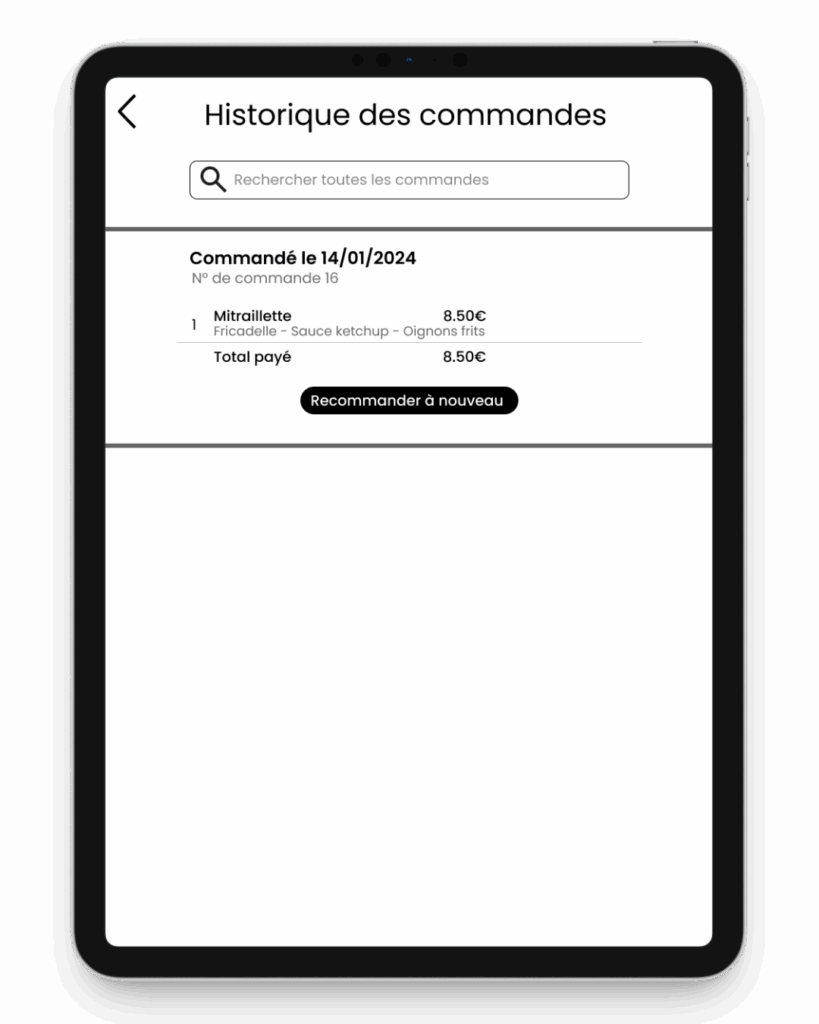
Feature 7: Order history and Notifications

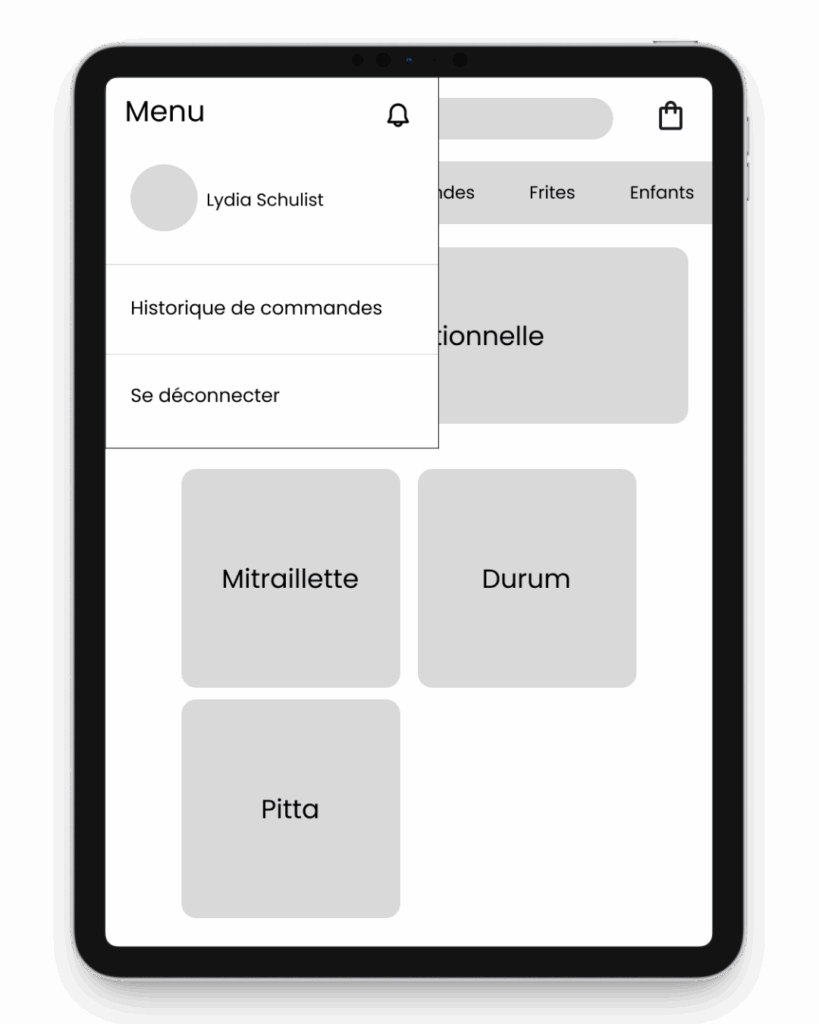
The customer can access their order history to reorder the same item.

Retour en haut